![Primary logo_Soft White.svg]](https://support.kinexio.io/hubfs/Primary%20logo_Soft%20White.svg)
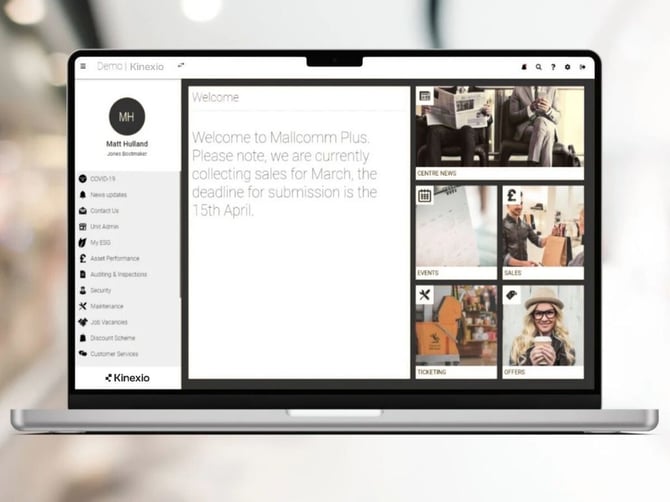
When a user logs into the web app there is a standard welcome message that can be tailored to your needs, updated instantly and as often as you like.
Some ideas on how to use this can include:
- A branded welcome message
- An update about any marketing events and how to get involved
- Let users know when a sales collection period is live and even include a deadline
- Invite users to get in touch and let them know how
This is a great opportunity to put a snippet of important information right in front of all users when they are logging into the web app.
How to set your welcome message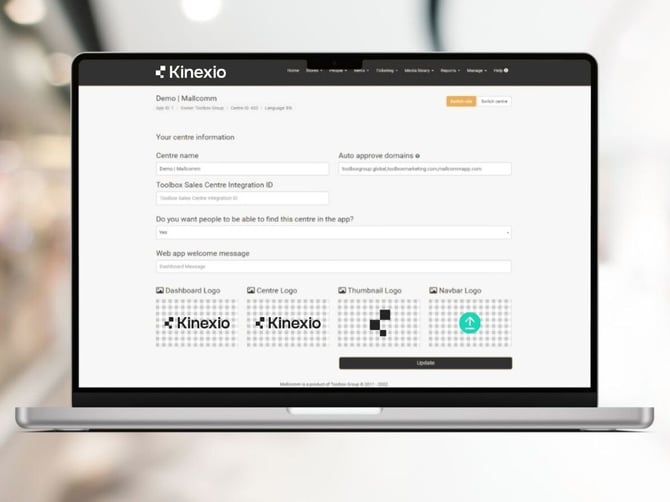
It is easy to set this up, just go to Manage > Your centre > Manage your centre and look for the field named "Web app welcome message".
Here you can enter the text you wish to display the next time someone logs in.